
SSO groups
Logmanager allows you to define group mappings from your authentication provider (such as LDAP, SAML, or OIDC) to Logmanager system groups. When users authenticate through SSO, their external group memberships are matched against these mappings to determine their access level.
What is SSO? Single Sign-On (SSO) is an authentication method that allows users to sign in with a single ID to any of several related, yet independent, software systems. Currently, only LDAP is implemented as the provider.
SSO users can be members of multiple SSO groups. Each matching SSO group will grant the corresponding system group permissions to the user.
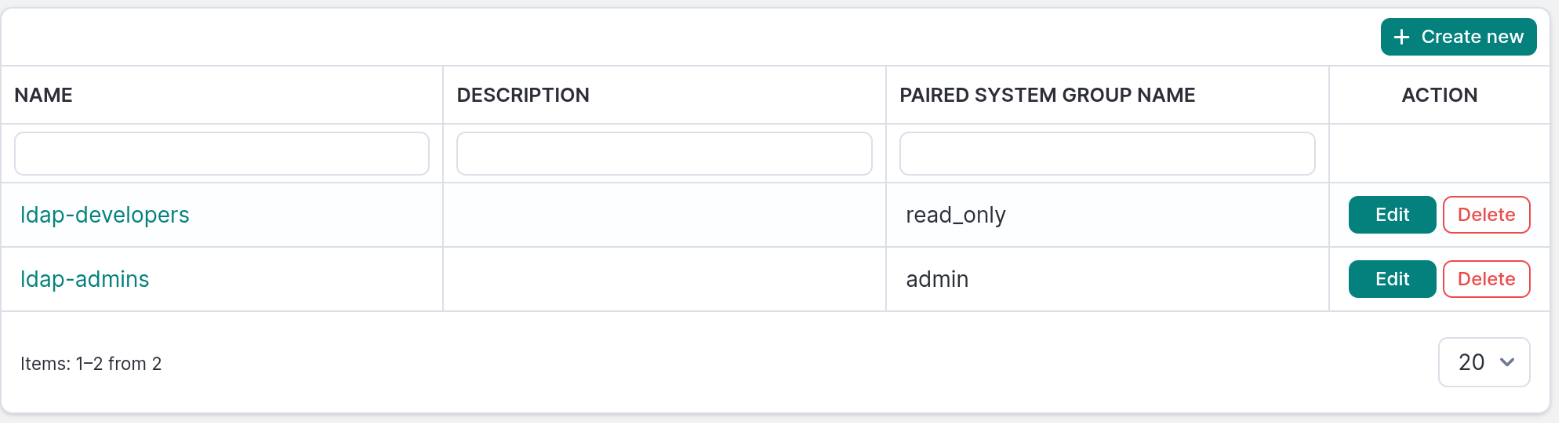
SSO Groups overview
The table provides the following information:
- Name: The name of the group from the authentication provider.
- Description: Optional description of the SSO group mapping.
- Paired system group name: Assigned system group from the Logmanager server.
You can add, edit, or delete SSO group mappings.
- Click the Create new button to open the SSO group creation form.
- Enter the following details:
- Name: The name of the group from your authentication provider (e.g., LDAP group name, SAML group, OIDC group claim).
- Description: Optional description to help identify this SSO group mapping.
- System group: Selection menu containing the list of system groups. These can be defined in System groups.
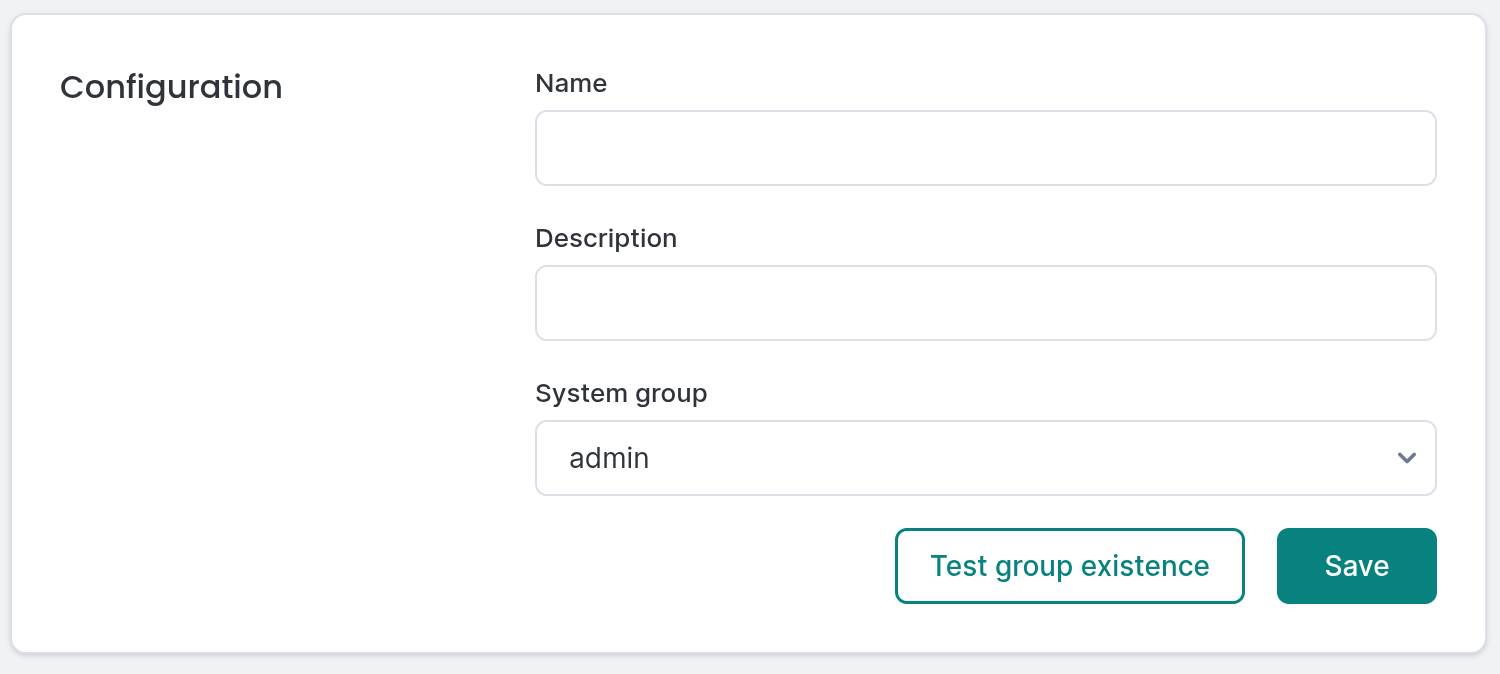
Adding new SSO Group
When adding or editing an SSO group, use the Test group existence button to verify that the SSO group name exists in your authentication provider. This helps ensure that group mappings are correctly configured before saving.
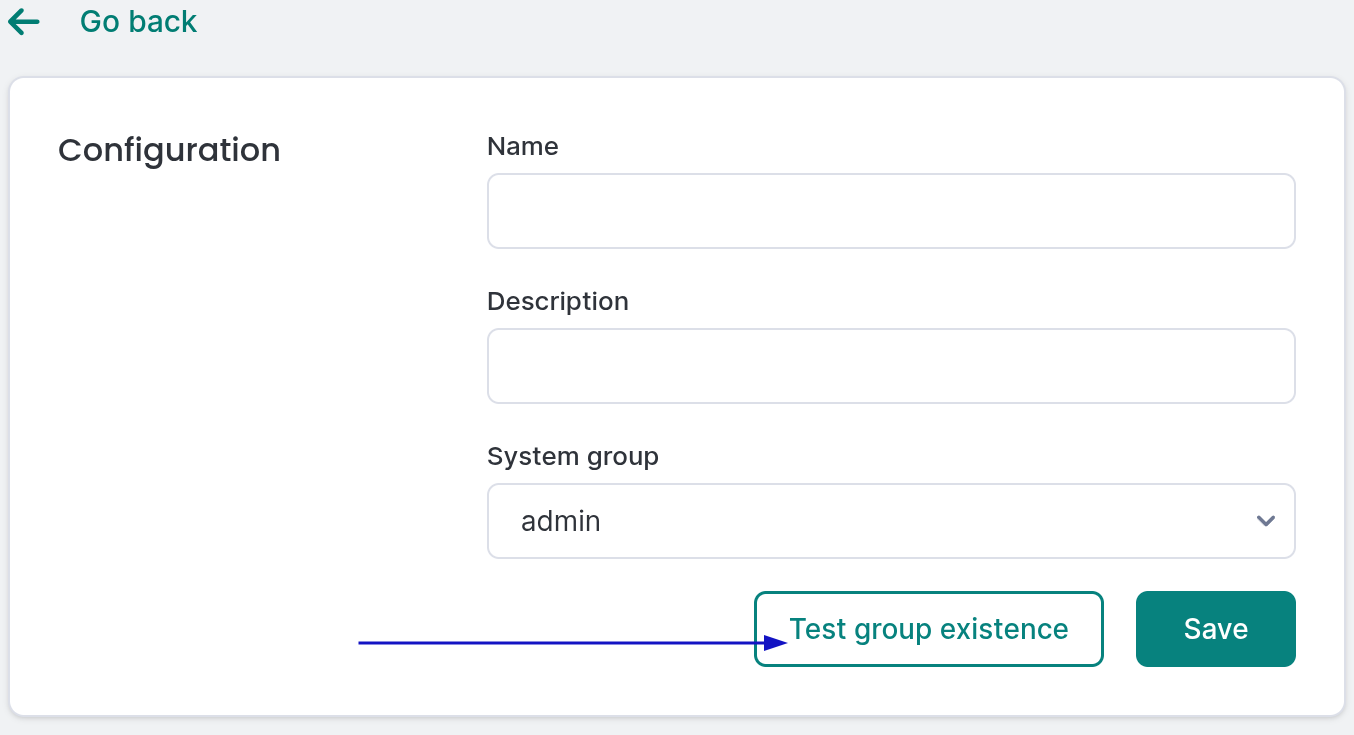
Test button for verifying SSO group existence
To edit a mapping, click the Edit button. You can modify any detail, including the provider group name or the assigned system group.
Select the SSO group mapping you want to remove and click the Delete button. Confirm the action in the deletion dialog.