
VLANs
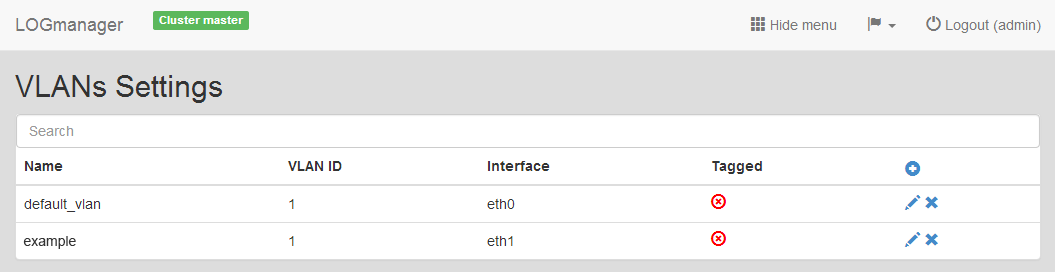
Logmanager supports connections to multiple virtual networks (VLANs). You can view the current list of defined virtual networks in the VLAN section.
VLANs
The table provides the following information:
- Name: Name of the VLAN.
- VLAN ID: ID of the virtual network.
- Interface: Used network interface.
- Tagged: Indicates if packets are tagged.
You can add, edit, or delete VLANs.
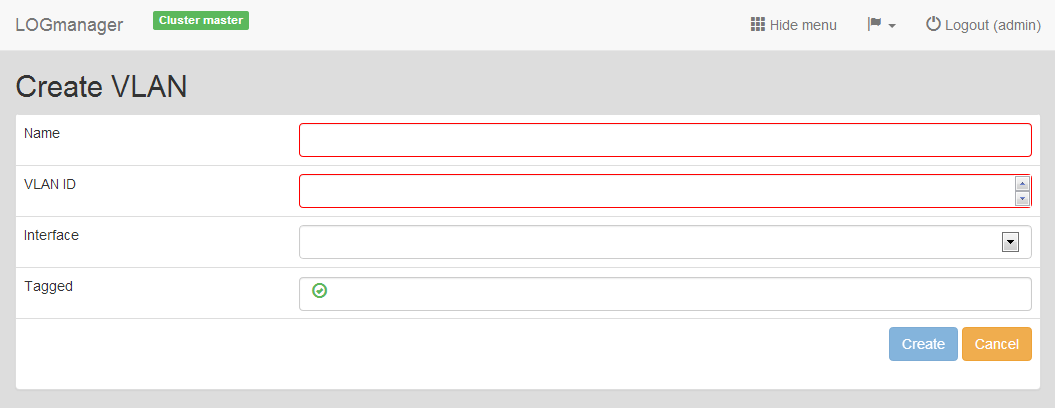
- Click the Plus icon to open the VLAN creation form.
- Enter the following details:
- Name: Enter a name for the virtual network.
- VLAN ID: Enter a unique ID for the virtual network (1 to 4096).
- Interface: Select a physical or trunk interface from the menu.
- Tagged: Select this option if the packets for this VLAN must be tagged.
Adding new VLAN
After you add the VLAN, you must configure its IP address. For more information, see the IP addresses section.
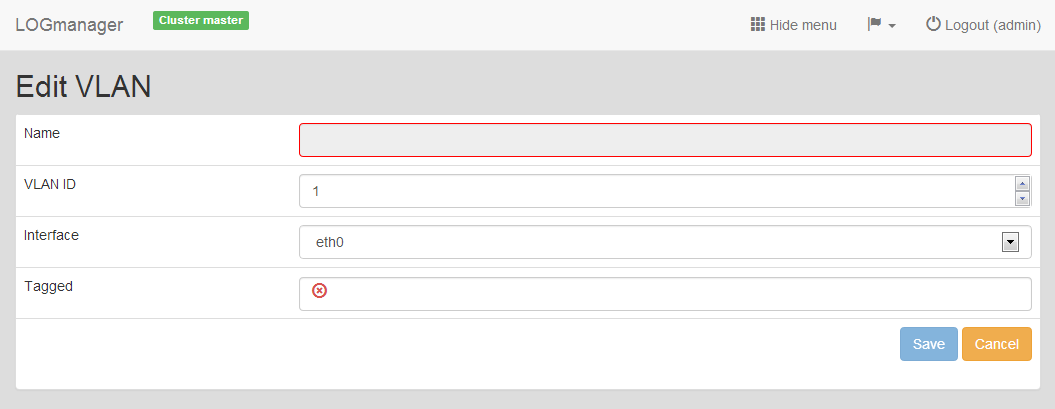
To edit a virtual network, click the Pencil icon.
Editing existing VLAN
When editing, you can change any detail except for the VLAN name. The VLAN ID must remain unique.
Select the VLAN you want to remove and click the Cross icon. Confirm the action in the deletion dialog.