
Routes
To enable communication between the Logmanager server and configured virtual networks (or other networks), you must configure routing.
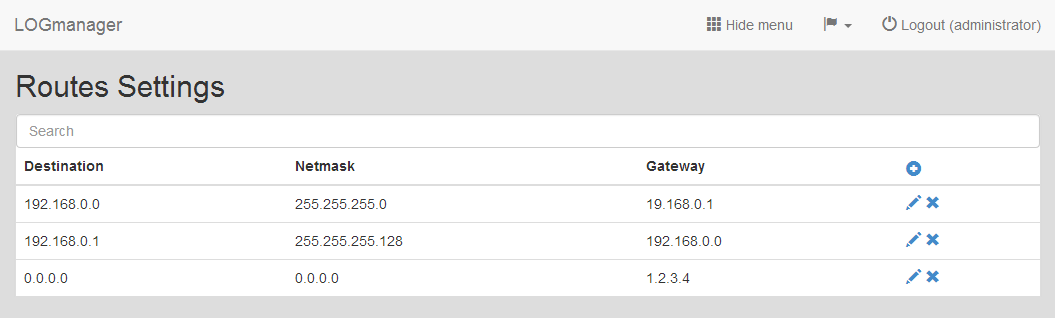
Routes
The table displays the following information:
- Destination: The destination IP address.
- Netmask: The network mask of the destination.
- Gateway: The gateway IP address.
You can add, edit, or delete routes.
- Click the Plus icon to open the route creation form.
- Enter the following details:
- Destination: The IP address of the destination.
- Netmask: The network mask of the destination.
- Gateway: The IP address of the gateway.
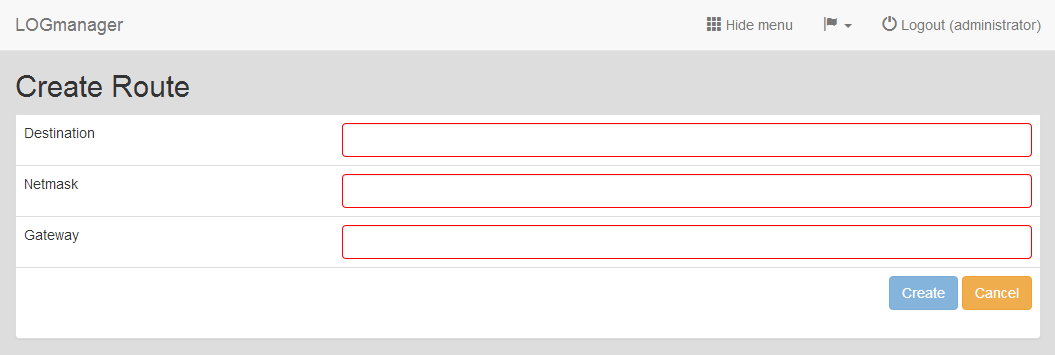
Adding new Route
The system checks the validity of all fields. If you enter an invalid value, the system highlights the field with a red border and prevents you from saving the form.
- Click the Pencil icon next to the route you want to change.
- Update the details in the form. The system performs the same validity checks as when adding a new route.
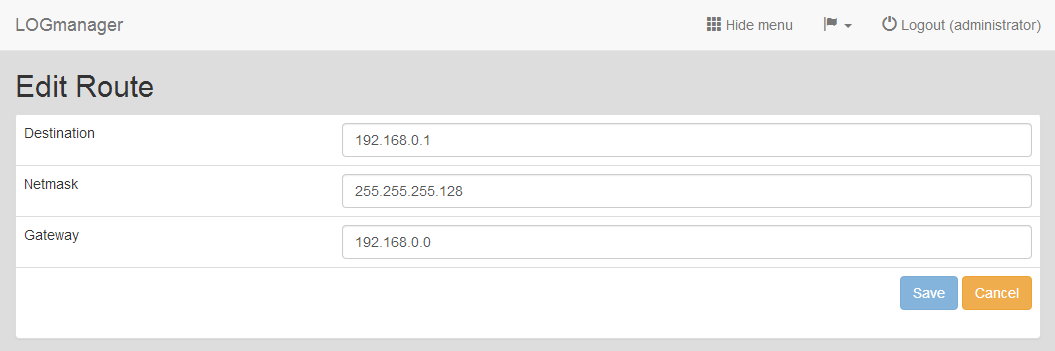
Editing existing Route
Select the route you want to remove and click the Cross icon. Confirm the action in the deletion dialog.