
Lookup tables
Lookup tables serve as an extension for parsers, allowing you to map specific values (like protocol numbers) to human-readable text (like service names). When a match is found in an incoming message, the corresponding text is automatically appended and saved in the system.
This feature is utilized with the Lookup table search block. If multicolumn lookup is enabled, the system searches the first column and returns a list of values from all subsequent columns.

Lookup tables
The table overview provides the following information:
- Name: Name of the lookup table.
- Description: Brief explanation of the table’s purpose.
- Built-in: Indicates whether the lookup table is integrated into the system.
Filter fields are located above the table. Data may be filtered by any single column. When using multiple filters, the AND logic is applied.
- Click the Plus icon in the upper right corner to open the creation form.
- Enter the following details:
- Name: Enter a name for the lookup table.
- Description: Enter a description for the lookup table.
- Content: Provide a list of values in CSV format (RFC 4180). Each row represents a rule in the format
original_text,append_text.
Example Content:
1,ICMP
2,IGMP
3,GGP
4,IPv4
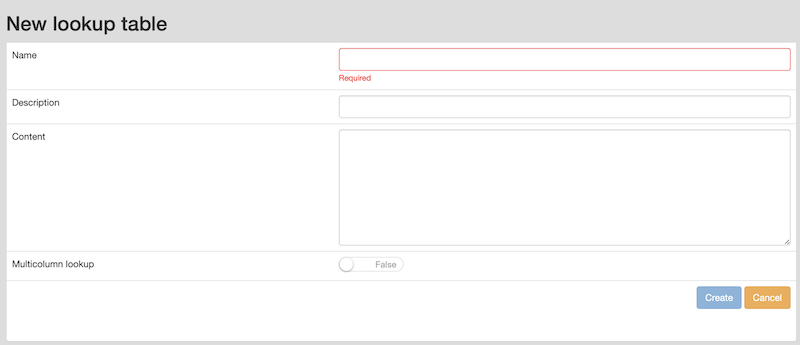
Adding a lookup table
We recommend using a tool such as Excel to generate the CSV data to ensure it adheres to the RFC 4180 standard.
To edit a lookup table, click the Pencil icon located in the corresponding row.
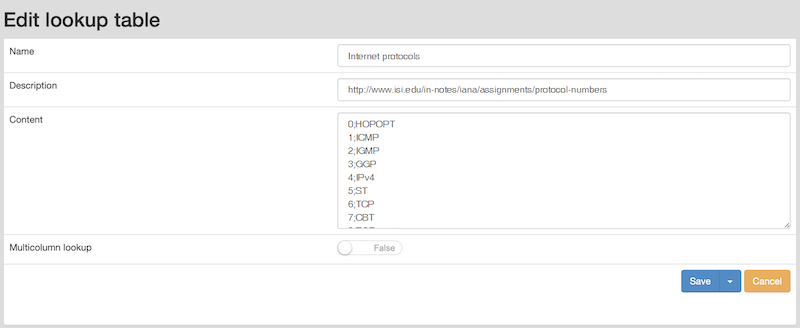
Editing a lookup table
The form is identical to the creation form.
Integrated (Built-in) lookup tables cannot be edited or deleted.
To remove a table, click the Cross icon in the corresponding row. Confirm the action in the deletion dialog.

Deleting a lookup table