
IP Prefix Lists
Logmanager supports IP prefix lists as extensions for classifiers and parsing rules, which include lists of IP addresses. For example, if messages from multiple Fortigate devices are sent to Logmanager, you can define a list of these devices’ IP addresses. Then you can directly query this IP prefix list in classifiers and parsing rules to check whether a message came from an IP address included in the list.
You can view the current list of defined IP prefix lists in the IP Prefix Lists section.
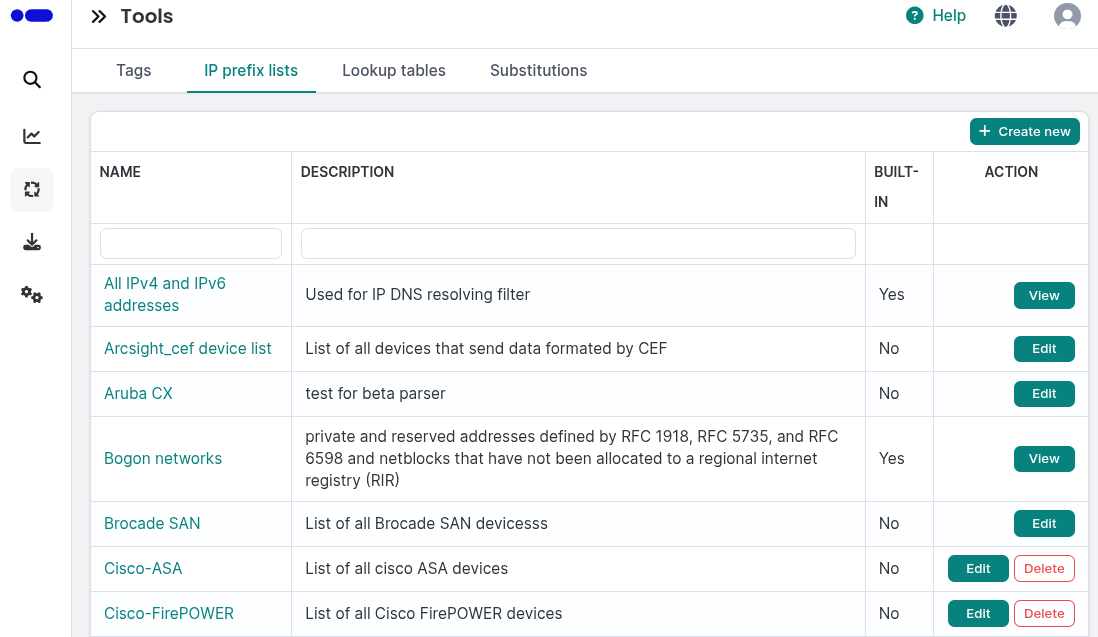
IP prefix lists
The table provides the following information:
- Name: Name of the prefix list.
- Description: Description of the prefix list.
- Built-in: Indicates if the prefix list is integrated in the system.
You can add, edit, or delete IP prefix lists.
- Click the Create new button to open the IP prefix list creation form.
- Enter the following details:
- Name: Enter a name for the prefix list.
- Description: Enter a description for the prefix list.
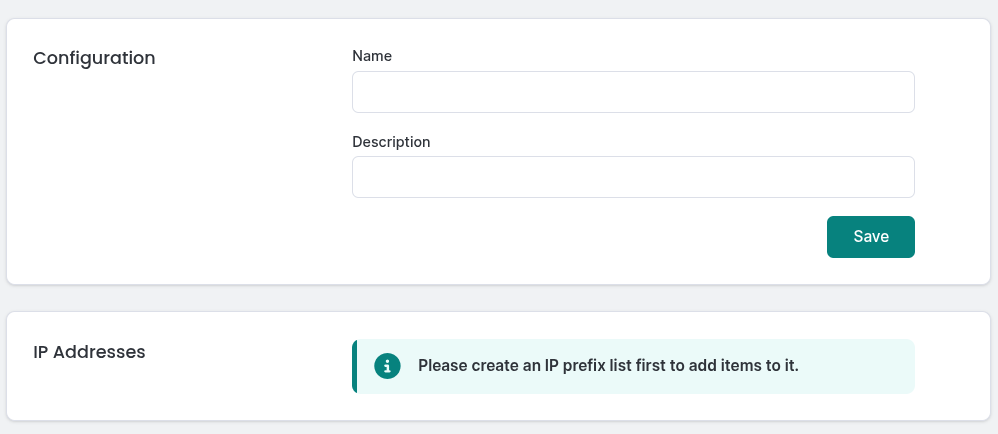
Adding IP prefix list
After creating the list, you can add IP addresses to it by editing the list.
To view or edit an IP prefix list, click the Edit button for the desired list. Built-in prefix lists can only be viewed and cannot be modified.
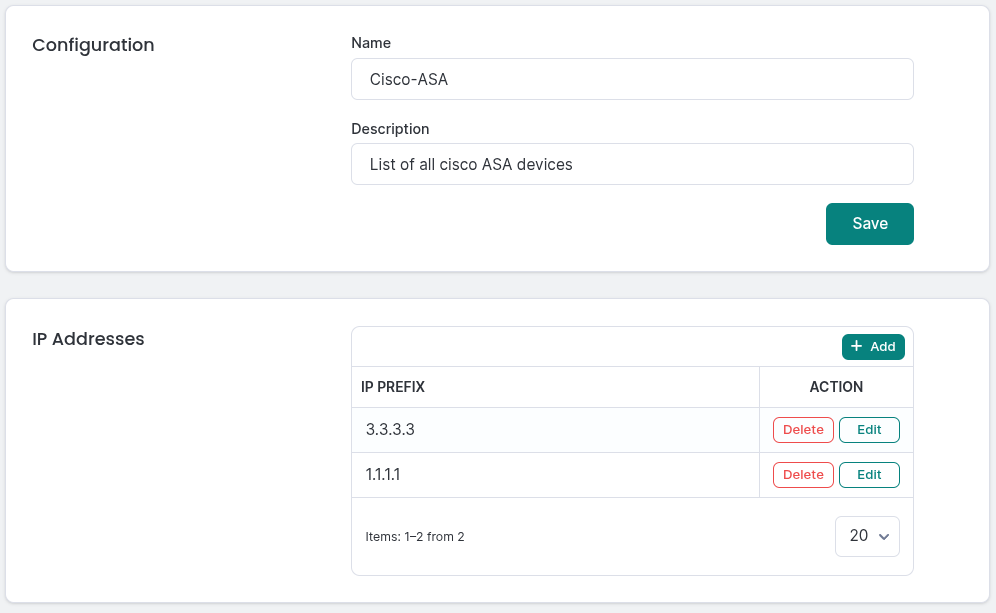
Editing IP prefix list
When editing, you can modify the name, description, and add, edit, or delete IP addresses in the table. Each address should be in CIDR format (e.g., 192.0.0.0/24).
Select the IP prefix list you want to remove and click the Delete button. Confirm the action in the deletion dialog. Note that lists can only be deleted if they are not currently in use. Built-in prefix lists cannot be deleted.
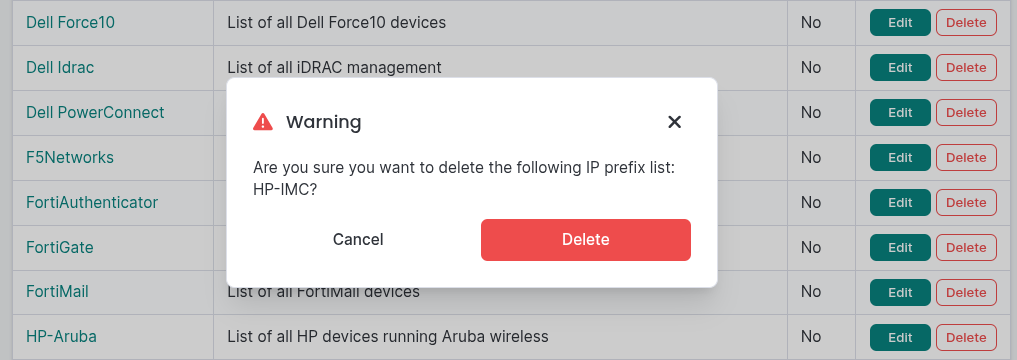
Deleting IP prefix list