
Parsers
Logmanager uses Parsers to define source devices and process incoming logs. Every message entering the system must pass through a parsing rule to be decoded, normalized, and extended with new attributes.
The Parsers section allows you to manage how data is retrieved and interpreted. The classification of incoming messages is determined by identifiers within each message, which then directs the message to the appropriate parser for content processing.
The main table provides the following information:
- NAME: Unique name of the parsing rule.
- DESCRIPTION: Brief explanation of the rule’s purpose.
- TAG: Associated metadata for categorization. More info in Tags section.
- BUILT-IN: Indicates if the rule is an integrated system internal.
- ACTION: Buttons to modify or remove existing rules.
Integrated parsing rules described as the “built-in parser” cannot be edited or deleted, but they can be viewed and copied.
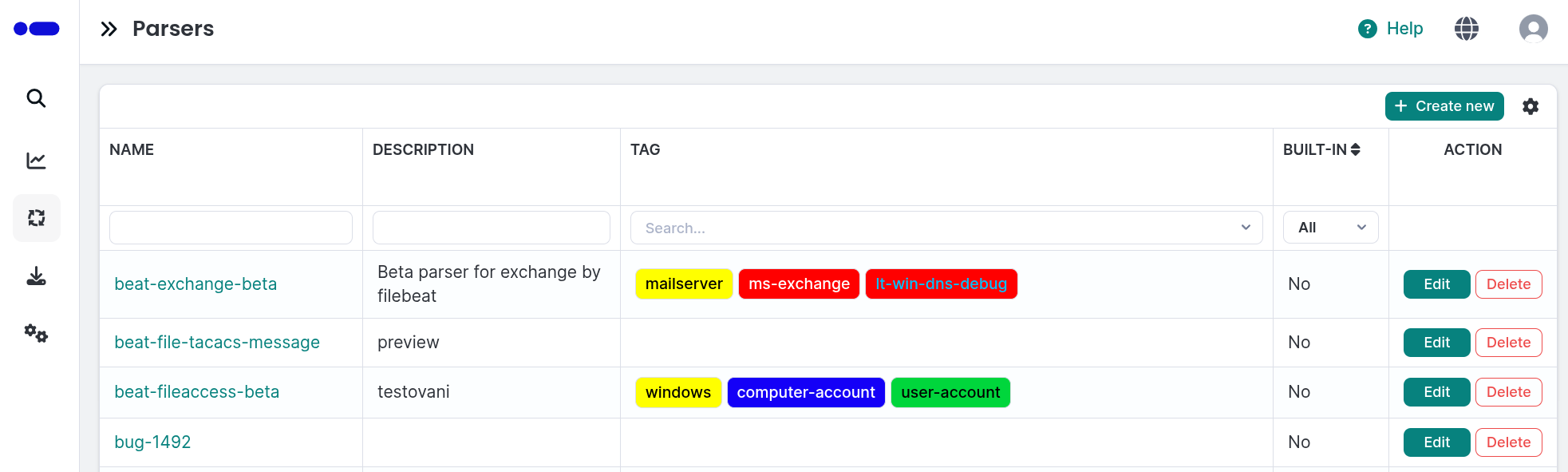
Parsers overview table
- Click the green Create new button in the upper right corner of the main table.
- Enter the following details:
- Name: Enter a unique name for the parser.
- Description: Provide a description of the source device or software.
- Blocks: Define the logic using the visual Blockly editor.
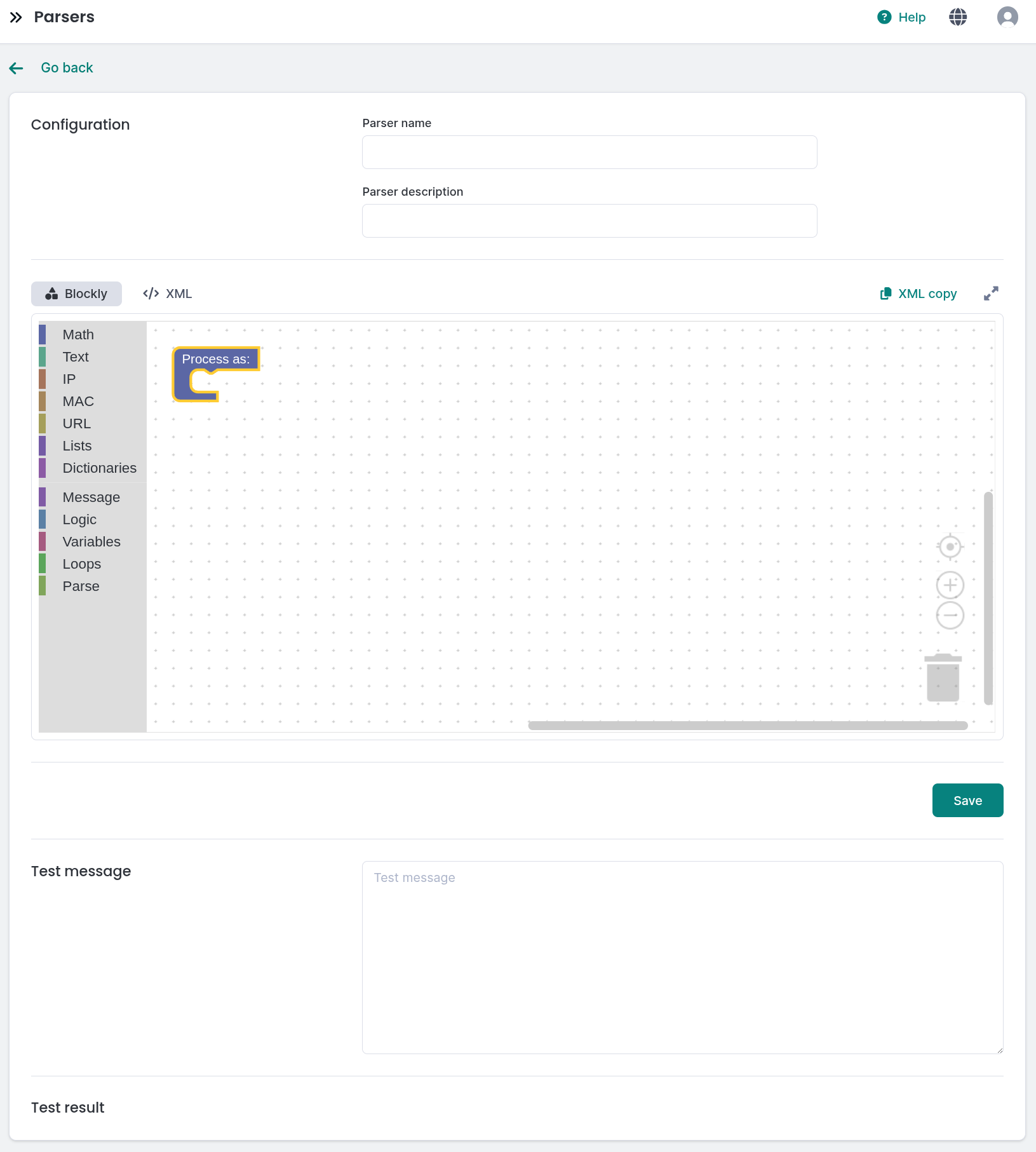
Adding a parsing rule
To modify a rule, click the teal Edit button in the corresponding row.
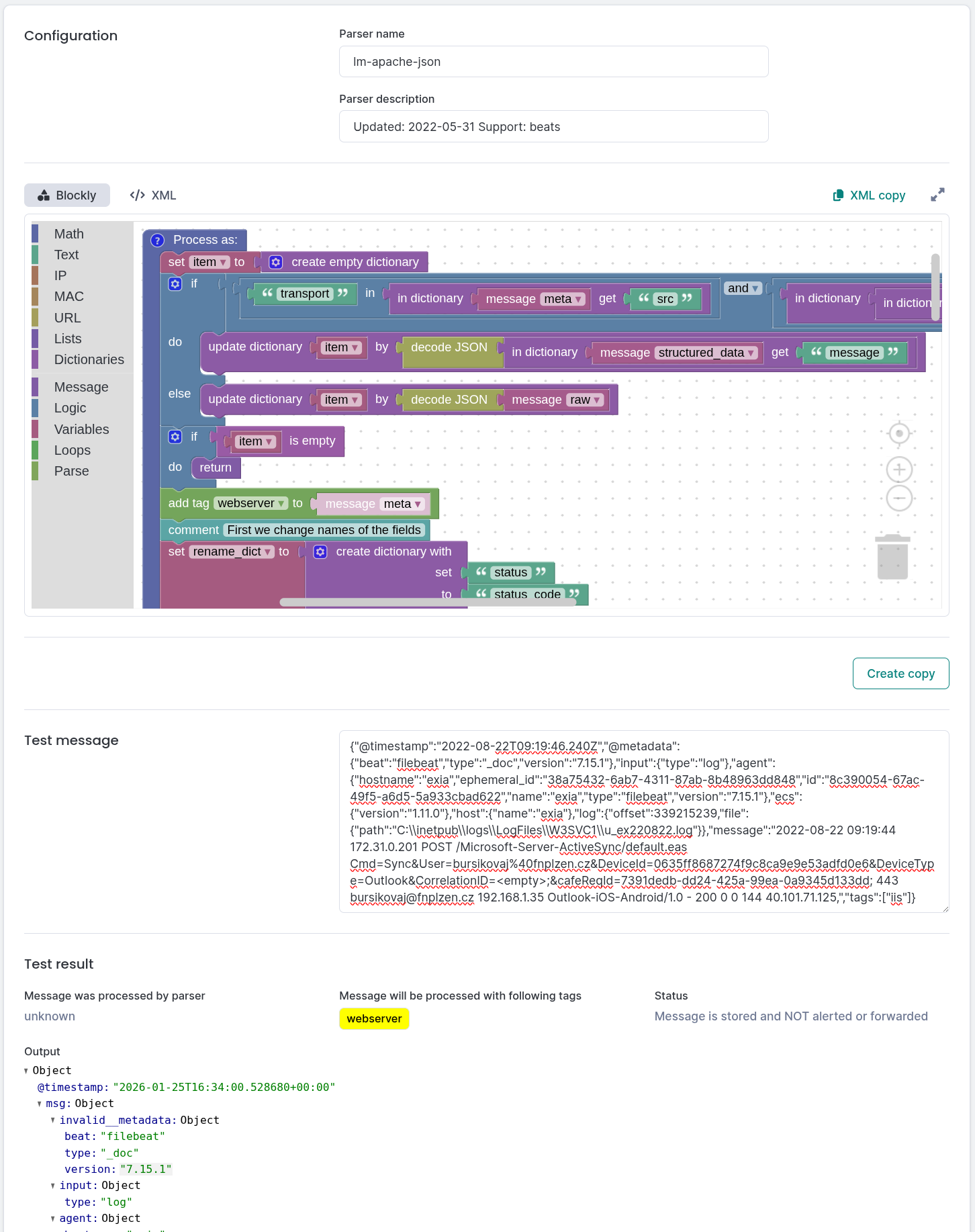
Editing a parsing rule
To remove a custom rule, click the red Delete button. Confirm the action in the following dialog.
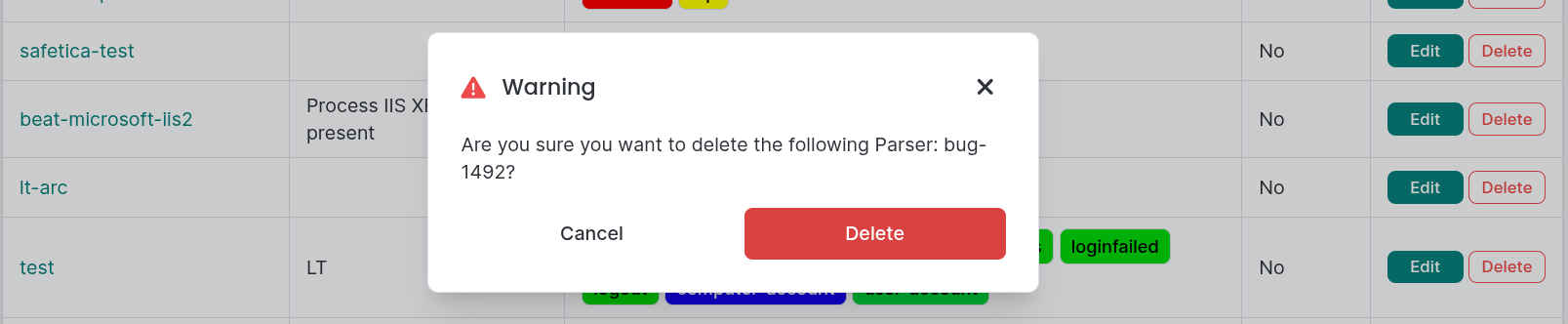
Deleting a parsing rule
Every message processed by Logmanager is stored in a standardized JSON format. Understanding this syntax is essential for creating effective parsing rules and working with variables.
To ensure database compatibility, names must follow these rules:
- Field name is always only in lowercase letters, completed by numbers, dash and the underline.
- If the field is named incorrectly, it will be automatically cleared of wrong characters and completed by the text invalid_.
- Field names cannot start with a number.
| Wrong name of fields | Automatic correction name |
|---|---|
Protocol |
invalid_protocol |
url%path |
invalid_url_path |
1-service-internal |
invalid_1-service-internal |
If a device sends logs in structured formats, you can use specialized blocks to decode them automatically:
- JSON: Decode JSON
- CEF: Decode CEF
When working with the messages, only use values listed in the fields msg, meta, and raw. Other fields are system fields and can be changed in future versions.
For a better idea of how to create parsing rules, we have prepared a few functional examples for various systems:
- Amavis
- Apache web server
- Dell PowerConnect
- FortiMail
- FreeRADIUS
- Check Point Firewall
- Microsoft IIS
- Nginx
- Shorewall
- Sophos
- Spamassasin
- SQL
If your device is not correctly displaying data in Logmanager, you will need to create a parser to normalize the values.
- Manual Creation: Build a parser using the Blockly editor to divide data into variables and add optional information.
- Structured Logs: If your device supports JSON, CEF, or LEEF, the data is already structured and only needs a suitable classifier to be applied.
Alternatively, you can contact your Logmanager partner or the manufacturer to request a specific parser creation. Please provide the following:
- Device Details: Manufacturer, software name, and specific version.
- Configuration Guide: Instructions on how to set up the device to send logs to Logmanager.
- Documentation: References to the manufacturer’s log/audit documentation.
- Sample Logs: An export of the raw fields from the Logmanager server.
This section defines the source devices—ranging from physical hardware to software like Windows—from which logs are retrieved. Parsers act as the essential translation layer, converting diverse log formats into a unified structure.
The definition is divided into several groups. First, classification of incoming messages is dealt with according to identifiers that each message contains. The message is then transferred from classification to the parser, where its content is processed.
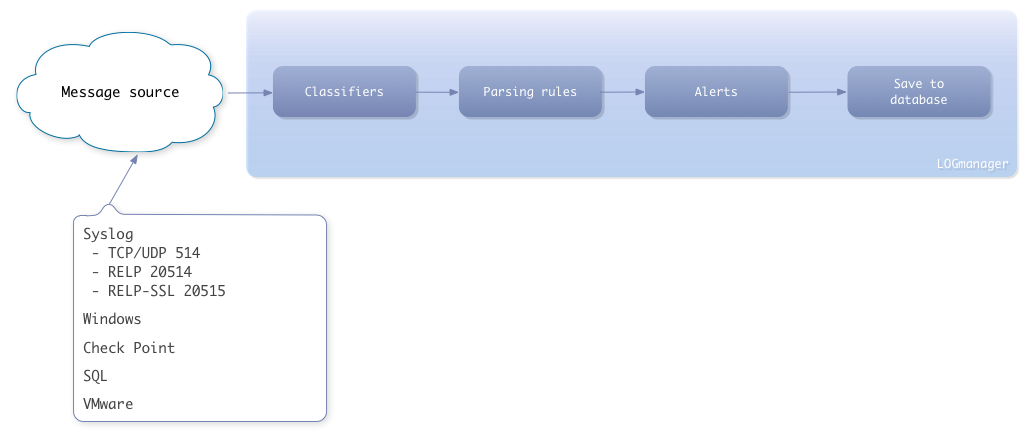
Message pass thru the system
Every message processed by the system is saved in the database in a standardized format. It is possible to work with messages in the system based on this format; therefore, it is appropriate to know the storage and meaning of specific message components.
Messages use the following syntax:
{
  "field": "value"
}

{
  "field1": "string_value",
  "field2": integer_value,
  "field3": float_value,
  "field4": [
    list
  ],
  "field5": {
    dictionary
  },
  "field6": {
    "subfield1": "value1",
    "subfield2": "value2"
  }
}
Examples:
- String value:
"sample text" - Integer value:
259 - Float value:
259.57 - List:
["sample text", 259, ""] - Dictionary:
{"field1": "sample text", "field2": 259} - Subfield access:
field6.subfield2
To ensure database compatibility and system stability, the following rules apply:
- Field names: Must be lowercase letters, numbers, dashes, or underscores only.
- Auto-correction: Incorrectly named fields are cleared of invalid characters and prefixed with invalid_.
- Naming constraints: Field names cannot start with a number. The symbols @ or _ cannot be used as custom variable names.
- Value types: Can be empty, integer, float, string, list, or dictionary. Floats cannot be NaN or infinite.
- Special fields: Lists containing @ in the name are internally generated and may contain additional metadata.
| Wrong name of fields | Automatic correction name |
|---|---|
Protocol |
invalid_protocol |
url%path |
invalid_url_path |
1-service-internal |
invalid_1-service-internal |
<service@internal> |
invalid_service_internal |
General format of the saved message:
{
  "@timestamp": "",
  "raw": "",
  "meta": {
    "event@id": "",
    "forwarder@id": "",
    "instance@id": "",
    "parser": "",
    "plugin": "",
    "tags": [],
    "tags@id": [],
    "timestamp": "",
    "src": {},
    "type": ""
  },
  "msg": {},
  "raw_offset": 0,
  "@version": ""
}
Field Descriptions:
- @timestamp / timestamp: When the message was delivered to Logmanager.
- raw: Original contents of the source message.
- meta: Contains internal information including unique event IDs, instance identification, and assigned tags.
- src: Contains source information (IP address, protocol, host, and severity).
- msg: A dictionary of fields generated based on the specific parsers the message passed through.
- raw_offset: Determines the position in text from where the message is processed by parsers.
When working with messages, only use values listed in the fields msg, meta, raw, and raw_offset. Other fields are system fields and can be changed in future versions.
{
  "_index": "lm-demo-2017.01.26",
  "_type": "microsoft-windows",
  "_id": "AVnZ_79FTDlIxPtA3bf8",
  "_score": null,
  "_source": {
    "msg": {
      "eventid": "7036",
      "processid": "500",
      "systemtime": "2017-01-26T08:58:00.078932400Z",
      "guid": "{555908d1-a6d7-4695-8e1e-26931d2012f4}",
      "uuid": "34B64D56-E785-1328-0EC0-E6CD20C4A9F9",
      "osservicepack": "",
      "eventsourcename": "Service Control Manager",
      "eventrecordid": "140740",
      "osname": "Windows 8 or Windows Server 2012",
      "eventtype": "System",
      "osedition": "Standard Server",
      "computer": "pc-example",
      "param2": "stopped",
      "param1": "Adobe Flash Player Update Service",
      "threadid": "2384",
      "message": "The Adobe Flash Player Update Service service entered the stopped state.",
      "eventid@int": {
        "value": 7036
      },
      "senderversion": "2.4.6004.23920",
      "channel": "System",
      "name": "Service Control Manager"
    },
    "raw": "<36>1 2017-01-26T09:58:01.094556+01:00 pc-example ServiceControlManager 500 msgld {\"senderversion\": \"2.4.6004.23920\", \"eventtype\": \"System\", \"eventid\": \"7036\", \"eventrecordid\": \"140740\", \"osname\": \"Windows 8 or Windows Server 2012\", \"osedition\": \"Standard Server\", \"osservicepack\": \"\", \"uuid\": \"34B64D56-E785-1328-0EC0-E6CD20C4A9F9\", \"name\": \"Service Control Manager\", \"guid\": \"{555908d1-a6d7-4695-8e1e-26931d2012f4}\", \"eventsourcename\": \"Service Control Manager\", \"systemtime\": \"2017-01-26T08:58:00.078932400Z\", \"processid\": \"500\", \"threadid\": \"2384\", \"channel\": \"System\", \"computer\": \"pc-example\", \"param1\": \"Adobe Flash Player Update Service\", \"param2\": \"stopped\", \"message\": \"The Adobe Flash Player Update Service service entered the stopped state.\"}",
    "@timestamp": "2017-01-26T08:58:03.595+00:00",
    "meta": {
      "forwarder@id": "00000000-0000-0000-0000-000000000000",
      "tags": ["windows"],
      "timestamp": "2017-01-26T08:58:03.595836+00:00",
      "parser": "microsoft-windows",
      "tags@id": ["3d3f2c7f-d1db-4442-9ff2-ea60c56716a8"],
      "instance@id": "00000000-0000-0000-0000-000000000000",
      "src": {
        "dialect": "relp",
        "severity": "warning",
        "facility": "auth",
        "ip": "192.0.2.56",
        "ip@ip": {
          "city": "New York",
          "is_reserved": false,
          "value": "192.0.2.56",
          "version": 4,
          "country_code": "US",
          "is_multicast": false,
          "country_name": "United States",
          "ptr": "pc-example.example.com",
          "is_link_local": false
        },
        "pid": "500",
        "host": "pc-example",
        "program": "ServiceControlManager"
      },
      "type": "user",
      "plugin": "windows"
    },
    "raw_offset": 82,
    "@version": "1"
  }
}
Description of example message:
- msg: Processed information from the source message.
- raw: Original source message.
- src: Detailed information regarding the origin of the message.