
List
The Dashboard List provides a comprehensive view of all available dashboards in your Logmanager instance. Access it by navigating to Analysis -> Dashboard -> List.
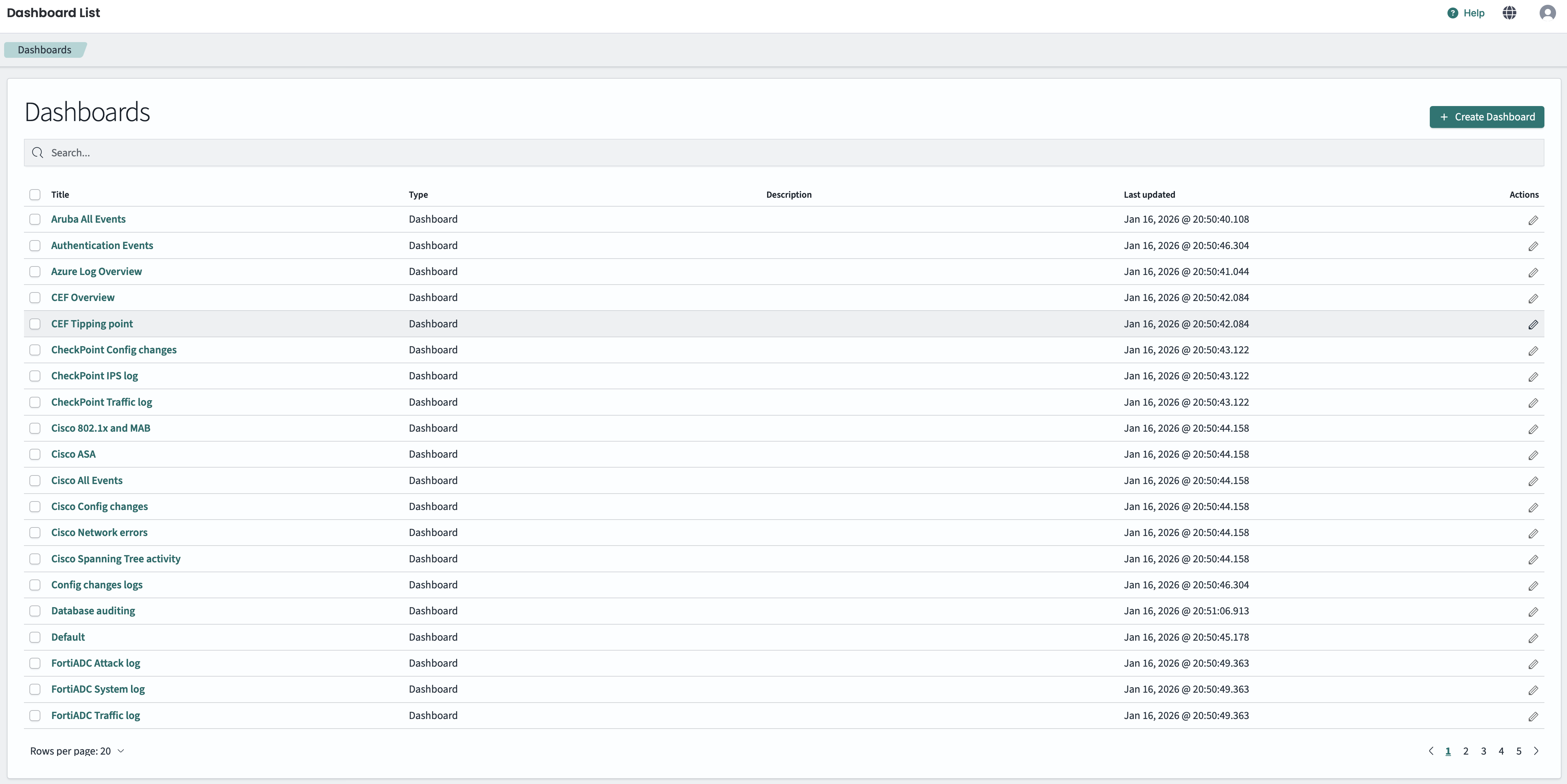
Dashboard List view
The list displays dashboards in a table with the following columns:
- Title: The name of the dashboard. Click to open the dashboard.
- Type: The object type (Dashboard).
- Description: Optional description of the dashboard’s purpose.
- Last updated: Date and time when the dashboard was last modified.
- Actions: Edit button to modify the dashboard.
- Search: Use the search field to filter dashboards by name.
- Create: Click the + Create Dashboard button to create a new dashboard.
- Pagination: Use the rows per page selector and page navigation at the bottom to browse through large lists of dashboards.