
Text
This section is available only in EnglishBlock “Text” is used in case, when is needed to enter any letter, word or string to the program.
XML representation of text block
<xml xmlns="http://www.w3.org/1999/xhtml">
  <block type="text">
    <field name="TEXT">Text value</field>
  </block>
</xml>

Block “Text”
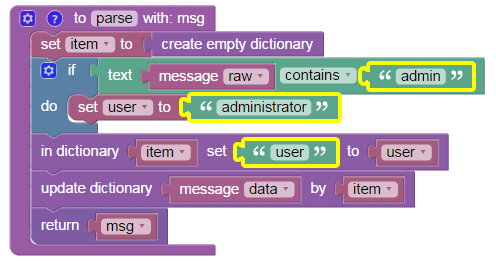
Example of “Text” block
Block is used three times in the example:
- “if text” row: if key “raw” contains word “admin” in “message” dictionary, then condition is met,
- “do set” row: if condition is met, variable “user” is created with value “administrator” as string,
- “in dictionary” row: new key “user” is created in “item” dictionary with the contents of “user” variable (text “administrator”).
Login permitted from 192.168.10.1/1234 to inside:192.168.1.1/https for user admin
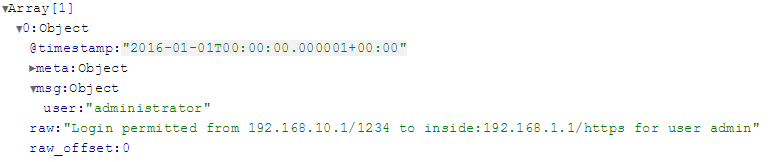
Results of “Text” block